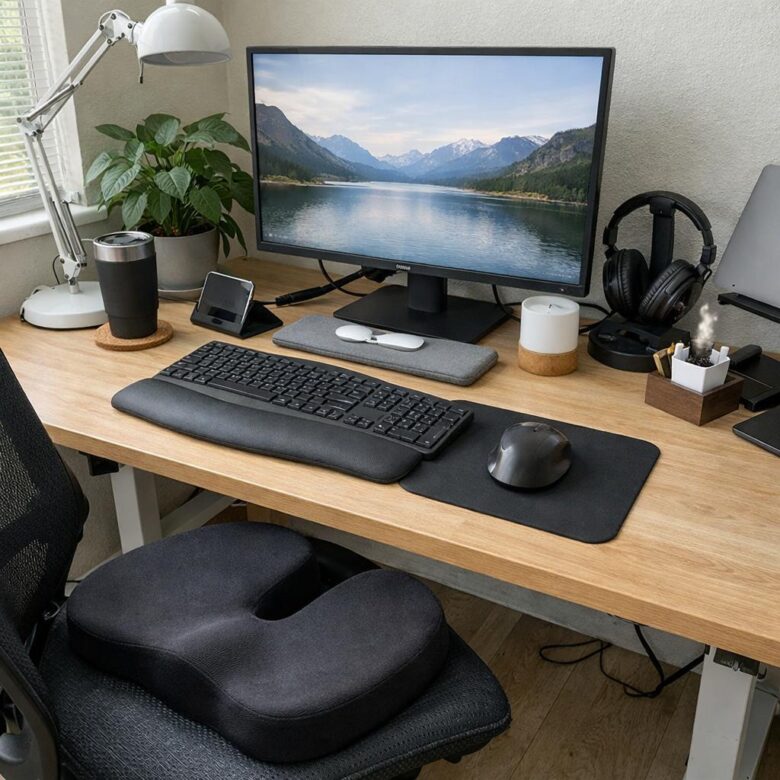
If your shoulders tighten, your screen catches glare, or household noise repeatedly breaks your concentration, start by adjusting what you already have. Chair height, screen position, lighting, and desk layout usually deserve attention before decorative accessories or expensive furniture.
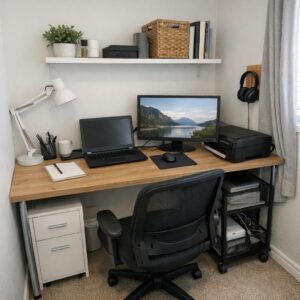
The best setup depends on where and how you work. A permanent office can support larger furniture and fixed storage, while a kitchen-table setup needs equipment that can be packed away. In either case, aim to reduce awkward positions, visual clutter, and unnecessary interruptions.
Adjust your chair and desk first
Your chair and work surface determine where your arms, feet, and screen naturally sit. Begin with the chair rather than trying to compensate by moving every other item.
- Place your feet on a stable surface. They should rest flat on the floor or on a footrest rather than dangle. A sturdy box can serve as a low-cost temporary footrest if it does not slide.
- Keep your knees comfortable. Aim for roughly level thighs, with your hips level with or slightly higher than your knees. Leave space between the seat edge and the backs of your knees.
- Support your lower back. Sit fully back in the chair. If the backrest does not provide enough support, a small cushion or rolled towel may help.
- Relax your shoulders. With your hands on the keyboard, your elbows should be close to your sides and bent at approximately a right angle.
If the desk is too high, raising the chair and adding a footrest is often more practical than replacing the desk. If it is too low, furniture risers may be an option for a suitable freestanding desk, but they must be stable and compatible with the furniture. Do not improvise with loose stacks of books or other items that could shift.
An adjustable office chair is useful when several people share a desk, but it is not the only workable choice. A stable chair, a supportive cushion, and the correct work height may be enough for shorter sessions. If you regularly work full days at the desk, adjustability becomes more valuable.
Put the screen where you can see it comfortably
A laptop sitting flat on a table encourages you to look down while also keeping your hands close to its built-in keyboard. Raising the entire laptop without changing the keyboard simply moves the typing surface too high.
For extended laptop work, use a laptop stand or stable platform with an external keyboard and mouse. Position the top portion of the screen around eye level, then adjust it until you can read without repeatedly lifting your chin or bending your neck. The display should generally be about an arm’s length away, although screen size, text size, and eyesight affect the comfortable distance.
For two monitors, place the one you use most directly in front of you. If both are used equally, center them as a pair and angle them slightly inward. Increase text size before pulling a screen excessively close.
Control light and glare
A brighter room is not automatically a better workspace. The goal is balanced light without strong reflections, deep shadows, or a bright window competing with the display.
- Place the desk so windows sit to the side when possible, rather than directly in front of or behind the screen.
- Use blinds or curtains to manage changing daylight instead of continually increasing screen brightness.
- Add a desk lamp for reading and paperwork. Position it so your hand does not cast a shadow across the page.
- Avoid pointing a bare bulb toward your eyes or placing a lamp where it reflects in the monitor.
A dimmable lamp provides more control, but it is optional. Moving an existing lamp, changing its angle, or using a shade may solve the problem at no extra cost. During long screen sessions, look away periodically and change position rather than staying fixed in one posture.
Arrange the desk around the work you actually do
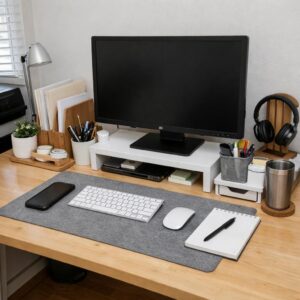
Keep daily tools within easy reach and move occasional supplies elsewhere. Your keyboard and mouse belong in the primary work area. A notebook, headset, and frequently used charger can sit nearby, while spare cables, archived papers, and bulk stationery can go in a drawer, box, or shelf.
Use simple zones if several activities share one surface:
- Computer zone: screen, keyboard, mouse, and headset.
- Writing zone: enough clear space for a notebook or documents.
- Incoming zone: one tray or folder for papers that need attention.
A crowded desk can make every task require rearranging. At the end of the day, return loose items to their zones, remove cups and rubbish, and write down the next task. This brief reset makes it easier to begin the following work session.
Reduce noise and interruptions
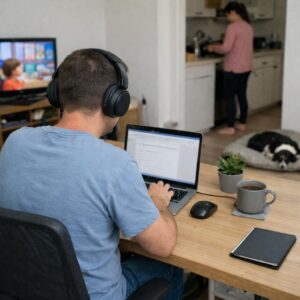
Noise control does not have to mean soundproofing a room. Start by identifying whether the main problem is conversation, traffic, household equipment, notifications, or echo during calls.
- Close the door or move away from the busiest household route when possible.
- Use headphones for intermittent noise. Noise-cancelling models are optional; ordinary over-ear headphones may provide enough separation.
- Add soft furnishings such as curtains or a rug if a sparsely furnished room sounds echoey.
- Silence nonessential alerts and schedule specific times to check messages.
- In a shared home, use a visible signal or agreed schedule to show when you are on a call or need uninterrupted time.
Keep headphone volume comfortable, and remain aware of alarms, children, visitors, or other sounds that require attention.
Choose storage and cable control that fit the space
Cable clips, reusable ties, and a labeled pouch for adapters can prevent cords from spreading across the desk. Leave enough slack to move equipment without pulling on plugs. Keep power strips ventilated and accessible, and follow their stated load limits rather than connecting one power strip to another.
Renters or people using a temporary work area can choose removable clips, portable document boxes, and a folding laptop stand. Test adhesive organizers in an inconspicuous spot because some can damage paint or finishes. In an owned, dedicated office, wall shelves and mounted cable channels may provide a more permanent solution, but they are not necessary for a functional workspace.
Match upgrades to the problem
| Problem | Try first | Optional upgrade |
|---|---|---|
| Feet do not reach the floor | Stable box or basic footrest | Adjustable footrest |
| Laptop screen is too low | Stable riser plus separate keyboard | Adjustable laptop stand or monitor |
| Window glare | Turn the desk or adjust curtains | Light-filtering window covering |
| Desk feels crowded | Remove occasional-use supplies | Drawer unit or wall storage |
| Calls are hard to hear | Move to a quieter position | Headset with a microphone |
| Sitting feels uncomfortable | Adjust height and back support | More adjustable chair |
A standing desk is also optional, not an ergonomic requirement. If you use one, alternate positions rather than treating standing all day as the goal. Keep the keyboard, mouse, and screen properly positioned in both modes.
Review the setup after a normal workday
Do not judge the arrangement only by how tidy it looks. Notice what you repeatedly adjust, reach for, or move around. A lamp that blocks the monitor, a charger that falls behind the desk, or a mouse placed too far away is a specific problem with a specific fix.
Change one or two things at a time, then reassess. Start with chair height and screen position, address glare and noise next, and add storage only after you know what needs to stay at the desk. Persistent pain, numbness, headaches, or vision difficulties should not be treated as a furniture problem alone; consider seeking appropriate medical or vision-care advice.

The Anna Leong Editorial Team creates practical guides about home organization, cleaning routines, household care, and productive workspaces. We focus on clear steps, realistic examples, and advice readers can adapt to their own homes.