If your desk becomes a landing place for mail, chargers, cups, and half-finished tasks, start with one rule: keep only permanent work equipment and items needed for today on the surface. Everything else needs a nearby home, a scheduled action, or a place outside the work area.
You do not need a matching set of organizers or a dedicated office. A useful setup is based on how often you reach for something, how much surface area you have, and whether the workspace must be cleared after work.
Clear the Desk Before Buying Organizers
Remove everything except equipment that is difficult to relocate, such as a monitor or desktop computer. Sort the remaining items into four groups:
- Used daily: keyboard, mouse, notebook, pen, headset, charger, and current documents.
- Used weekly: extra cables, printer supplies, reference folders, backup drives, and less-used stationery.
- Belongs elsewhere: household mail, receipts, snacks, personal-care items, and unrelated paperwork.
- No longer useful: dried-out pens, outdated notes, duplicates, empty packaging, and cables you cannot identify.
Test unfamiliar cables before discarding them, and label any spares you decide to keep. This initial sort reveals whether you need storage at all. A crowded surface is often a placement problem rather than a shortage of containers.
Arrange the Desk in Working Zones
Zones give items a logical destination without requiring a complicated system. The exact arrangement will depend on whether you write by hand, work mainly on a computer, handle paper files, or spend much of the day in video meetings.
Primary work zone
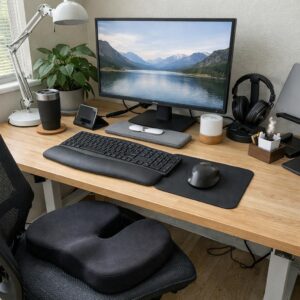
Center the keyboard, mouse, monitor, and other tools used for your main task. Leave enough open space to write or review a document without moving several objects first. If the desk is narrow, a laptop stand or monitor arm may free some surface area, but comfort and stability matter more than an empty-looking desk. Review these home-office comfort essentials before adding equipment.
Capture zone
Keep one place for quickly recording tasks and ideas. This might be a notebook, planner, or digital task list. Avoid keeping several pads of loose notes on the desk; important reminders are harder to find when they are scattered across multiple systems.
Action-paper zone
Use one upright file, folder, or shallow tray for documents that require attention. Separate them by action if necessary, such as reply, pay, or file. This is not long-term storage. Review the contents on a set day so the tray does not become a permanent paper pile.
Charging zone
Place chargers together near an appropriate outlet, ideally on the side where you naturally set down your phone or headset. Keep cords away from leg space and moving chair parts. Do not run electrical cords under rugs or overload outlets and power strips. If a cable, plug, or power strip is damaged or unusually hot, stop using it.
Store Items According to How Often You Use Them
The easiest storage to reach should hold the supplies used most often. Daily tools can stay in a shallow drawer, cup, or small tray. Weekly supplies can go in a lower drawer, cabinet, or labeled box. Records and backup materials belong farther away from the desktop.
| Frequency | Examples | Best location |
|---|---|---|
| Several times a day | Pen, notebook, headset | On the desk or in the top drawer |
| Once or twice a week | Folders, spare cables, printer paper | Lower drawer, shelf, or nearby cabinet |
| Occasionally | Archived records, manuals, bulk supplies | Labeled storage away from the desk |
Drawer dividers are helpful when small objects slide together, but ordinary boxes or clean reusable containers can do the same job. Measure the drawer before buying inserts, and do not divide it into more categories than you will maintain.
Control Cables Without Making Devices Hard to Move
First remove cables for equipment no longer on the desk. Then group the remaining cords by destination rather than forcing every wire into one tight bundle. A small label near each plug makes it easier to disconnect the correct device.
Reusable ties can shorten excess cable length, while clips can keep frequently used charging ends from falling behind the desk. An under-desk tray may hold a power strip and adapters, provided it is securely installed, ventilated, and compatible with the desk.
For a rental or a table that serves several purposes, choose removable ties and clips instead of drilling or using strong adhesives that may damage the finish. Leave enough slack for a sit-stand desk or movable monitor so cables are not pulled when the equipment changes position.
Adapt the System to Your Space
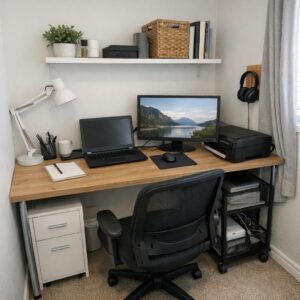
For a small desk
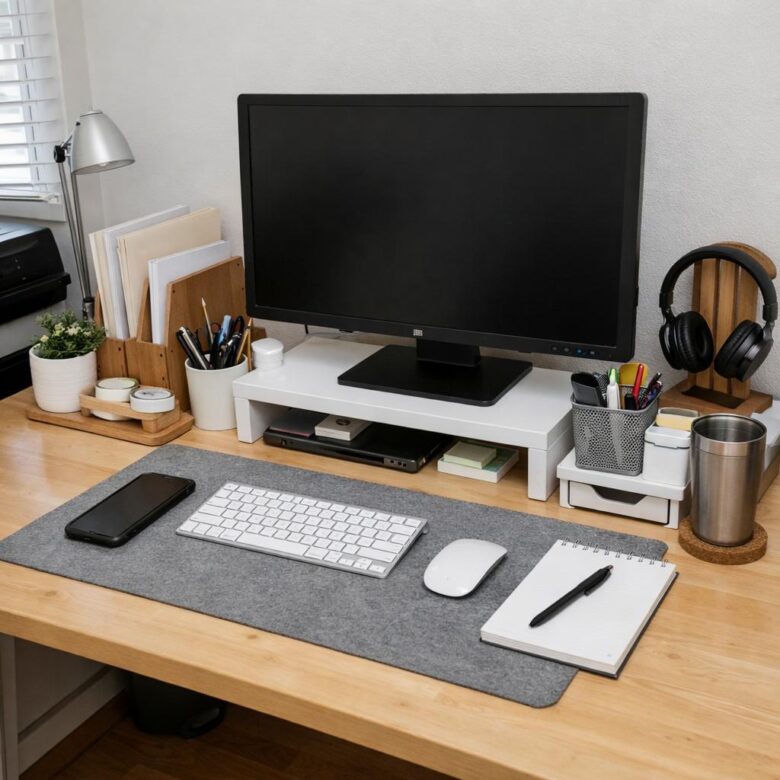
Use vertical space carefully. An upright file holder occupies less surface area than several flat paper stacks, and a monitor riser can provide room for a keyboard or notebook underneath. Limit desktop supplies to one pen cup or tray rather than adding several small containers.
For a shared table
Keep work tools in a portable box, basket, or bag. Group the laptop charger, notebook, headset, and other essentials so the entire setup can be opened and packed away together. A single action folder prevents work papers from mixing with household mail.
For a dedicated office
More room does not require more items on the desk. Use drawers and shelving for supplies, but keep active projects separate from archives. Label broad categories clearly enough that another household member could return an item without asking where it belongs.
Avoid These Common Organization Mistakes
- Buying containers before sorting: This often hides clutter instead of reducing it.
- Keeping every supply within reach: Extra notebooks, pens, and cables can be stored nearby without occupying the main work area.
- Using the desk as a household drop zone: Give incoming mail, keys, and receipts a separate landing place.
- Overfilling the paper tray: An inbox works only when it is reviewed and emptied regularly.
- Ignoring screen and keyboard placement: Storage should not force you into an awkward working position.
- Creating a system that is slow to reset: If putting items away takes too many steps, simplify the categories or move storage closer.
Use a Short End-of-Day Reset
A reset should be brief enough to repeat on ordinary workdays. Before leaving the desk:
- Throw away rubbish and move cups or dishes to the kitchen.
- Place action papers in their folder or tray.
- Return pens, headphones, and chargers to their assigned spots.
- Write down the next task instead of leaving several project materials spread out.
- Clear the central work area so it is ready for the next session.
If the desk repeatedly becomes cluttered, notice what has no convenient home. That is the part of the system to adjust. The goal is not a perfectly empty surface; it is a workspace where necessary tools are easy to reach and just as easy to put away.

The Anna Leong Editorial Team creates practical guides about home organization, cleaning routines, household care, and productive workspaces. We focus on clear steps, realistic examples, and advice readers can adapt to their own homes.