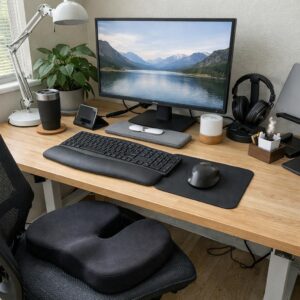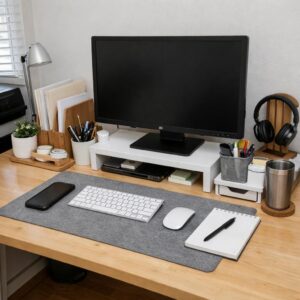
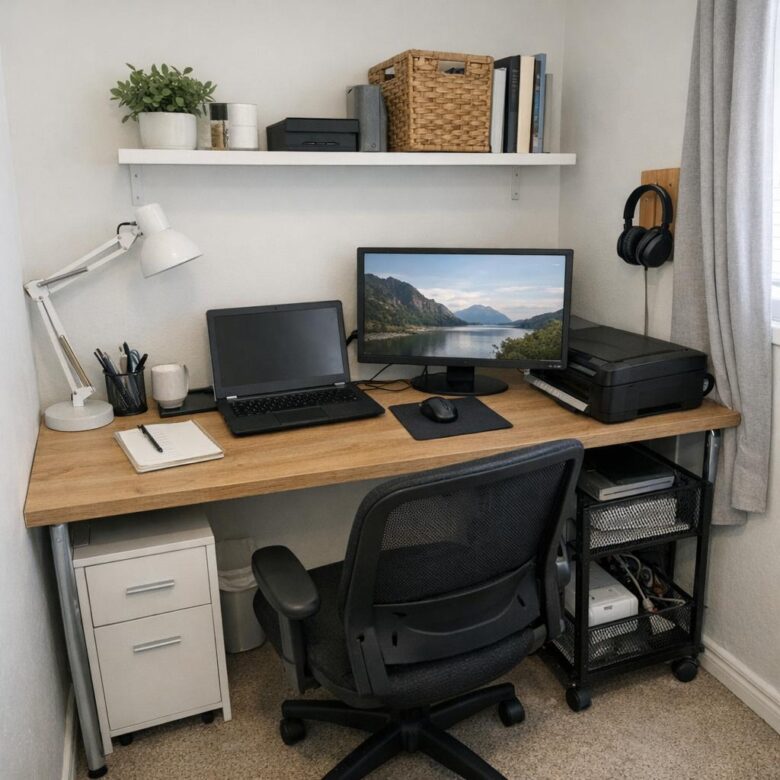
If your laptop keeps moving between the sofa, dining table, and bed, the first priority is not buying a large desk. It is creating one dependable work zone with enough room for your computer, a supportive seat, suitable lighting, and a place to put work away.
That zone might be a bedroom corner, part of a living room, an alcove, or the inside of a closet with its doors removed. A compact office works when it fits both the available space and the way you actually work.
Choose the location before choosing furniture
Start by looking for a spot where you can sit without blocking a doorway, radiator, frequently used cabinet, or main walking route. A wall-facing position usually keeps the office visually contained. Facing into the room may feel less cramped, but it requires more open floor space and leaves cables more visible.
Natural light is useful, but the brightest location is not automatically the best one. A window directly behind you can make video calls difficult, while a window behind the screen may create uncomfortable contrast. When possible, place the desk perpendicular to the window and use a blind or curtain to control glare.
Before ordering furniture, measure:
- The width and depth available for the desk.
- The clearance needed to pull out the chair and sit comfortably.
- The height and location of windowsills, outlets, and wall fixtures.
- Door, drawer, and closet movement near the proposed work zone.
- The route between the desk and an outlet, so cables do not cross a walkway.
Marking the desk footprint on the floor with removable painter’s tape can make its real size easier to judge. In a rental, check the lease before drilling or installing wall-mounted furniture.
Select a desk that matches the work
The right desk is the smallest one that can comfortably hold your daily equipment. Someone who works mainly on a laptop needs less depth than someone using a large monitor, drawing tablet, paper files, or other equipment.
For a very tight space
A wall-mounted drop-leaf desk or narrow writing desk can provide a defined surface without dominating the room. A folding model is useful when the workspace needs to disappear after work, but it will only help if there is another convenient place for the laptop and supplies.
For a shared living area
Consider furniture that blends with the room, such as a compact desk with drawers or a console-style table. Closed storage makes it easier to hide work materials in the evening. Avoid using a storage ottoman for items needed several times a day; repeatedly opening and emptying it adds friction.
For a closet or alcove
Confirm that the space has adequate lighting and air circulation. Do not crowd computer equipment against soft furnishings or block ventilation openings. If the nearest outlet requires a cable across the room, another location may be more practical.
Make the workstation comfortable
A small footprint does not require a cramped posture. Adjust the chair so your feet rest firmly on the floor or on a stable footrest. Keep your shoulders relaxed, with elbows close to your sides and forearms roughly level with the work surface.
Position the screen directly in front of you, with the top at or slightly below eye level. Keep it far enough away that you can read without leaning forward. Exact placement varies with screen size, eyesight, and prescription lenses, so adjust it according to comfort rather than following one fixed measurement.
For long laptop sessions, raising the laptop on a stable stand and adding an external keyboard and mouse can prevent the screen and keyboard from forcing the same compromised position. A monitor arm can free surface space, but only if the desktop is strong enough for the clamp and the monitor remains within the arm’s weight limit.
If an office chair is too large or expensive, begin with a stable chair that allows your feet to be supported. A firm seat cushion or lumbar cushion may improve the fit, but it cannot correct a chair that is unstable, much too high, or too deep for the user.
Use lighting that supports the task
A compact adjustable desk lamp is usually more useful than a large floor lamp because it directs light where needed. Right-handed people may prefer the lamp on the left, and left-handed people may prefer it on the right, reducing shadows when writing.
Check the screen for reflections at the time of day when you normally work. Moving the monitor a few inches, changing its angle, or closing a blind may solve glare without requiring another purchase. For evening work, combine the task lamp with some general room lighting rather than working with a bright screen in an otherwise dark room.
Move storage up, not across
Keep the desktop for active work. Supplies used daily can stay in one small tray or drawer; weekly supplies can go on a nearby shelf; archived paperwork belongs elsewhere. This hierarchy prevents rarely used items from taking the most convenient space.
- Floating shelves: useful for light supplies and reference materials when secure wall installation is possible.
- Pegboards or wall organizers: suitable for frequently used small tools, headphones, and stationery.
- Rolling drawers: practical for renters or anyone who wants storage that can move between rooms.
- Document boxes: helpful for paperwork that must be retained but does not need to remain on the desk.
Do not install heavy shelves or wall-mounted desks without using fixings suitable for the wall and the expected load. If you cannot verify a safe installation, choose freestanding storage or arrange professional installation.
Control cables without creating hazards
Route cables along the back edge or underside of the desk with removable clips or reusable ties. Leave enough slack for equipment to move without pulling on plugs. Power strips should remain accessible and ventilated rather than being buried under paper, fabric, or rugs.
Avoid running extension cords through doorways or across walking routes. Do not overload outlets or connect multiple power strips together. If the location cannot be reached safely, reconsider the desk position or consult a qualified electrician about an appropriate permanent solution.
Plan for calls and shared rooms
For video calls, test what appears behind the chair before rearranging the whole room. A plain wall, closed curtain, or tidy shelf often works well. If the bed or household clutter remains visible, a virtual background may be a simpler option.
Headphones can reduce distraction and keep calls private in a shared home, but they do not block your voice from others. Agreeing on call times or using a simple visual signal can help household members know when interruptions should be limited.
Create a short opening and closing routine
Physical boundaries are limited in a small home, so routines can provide the separation a dedicated room would normally create. At the start of the day, bring out only the items needed for current work. At the end, close applications, return papers to one designated place, and clear cups or unrelated household items.
If the office occupies a bedroom or living area, make the shutdown visible: fold the desk, close the cabinet, cover the monitor, or store the laptop and keyboard in a drawer. The goal is not a perfectly empty surface. It is a clear signal that the workday has ended.
Set up the basics first
Begin with the location, desk or surface, chair, screen position, and lighting. Work there for several days before adding shelves, organizers, or extra equipment. The problems that appear during normal use will show whether you need better paper storage, a lamp, a footrest, cable control, or simply fewer objects on the desk.
A productive small home office is not the one with the most accessories. It is the one that lets you start work without moving household clutter, stay reasonably comfortable, and put work away without reorganizing the entire room.

The Anna Leong Editorial Team creates practical guides about home organization, cleaning routines, household care, and productive workspaces. We focus on clear steps, realistic examples, and advice readers can adapt to their own homes.