If your workday keeps getting broken up by messages, chores, noise, or family questions, start with one concrete change: protect a single block of time for one clearly defined task. Silence nonessential alerts, tell other people when you will be available, and remove unrelated items from your immediate workspace.
You do not need a perfectly quiet office or an elaborate productivity system. The aim is to make common distractions less convenient and necessary interruptions easier to manage.
Find the distractions that actually cost you time
Before changing your schedule or buying office equipment, note what interrupts you for two typical workdays. Record the interruption, the time, and what you were doing. A paper list is enough.
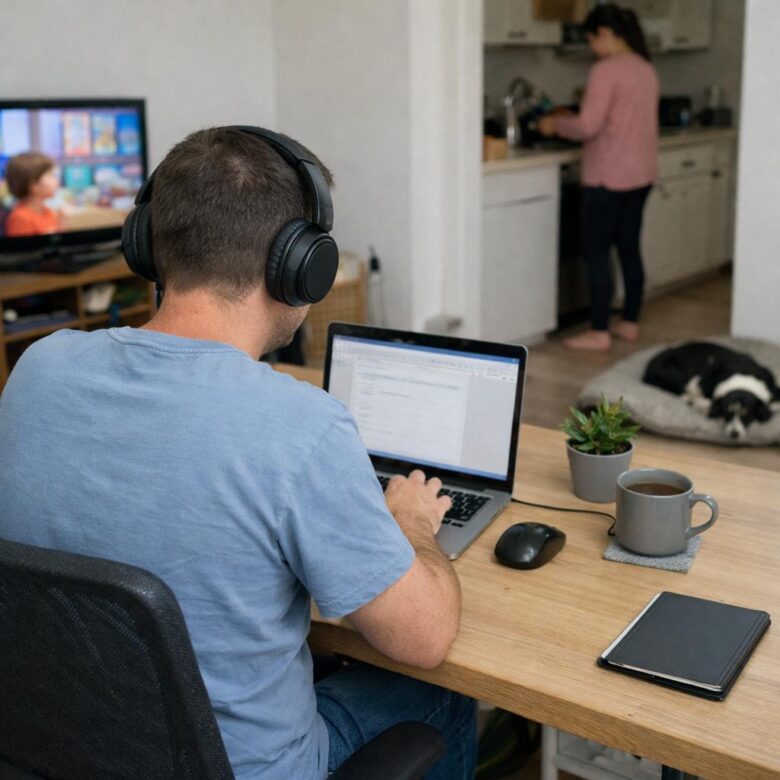
- Household distractions: laundry, dishes, deliveries, pets, television, and unfinished household tasks.
- Digital distractions: email alerts, team messages, personal texts, social media, news sites, and unnecessary browser tabs.
- People-related interruptions: questions from family members, roommates, coworkers, or neighbors.
- Work-related distractions: unclear priorities, too many meetings, frequent status checks, or switching between several projects.
- Physical distractions: hunger, uncomfortable seating, glare, noise, or a room that is too warm or cold.
Look for patterns rather than counting every lost minute. If most interruptions come from work messages, rearranging your desk will not solve the main problem. If household noise is the issue, a stricter email routine may make little difference.
Give each focus block a specific outcome
A calendar entry labeled “work on report” leaves room for avoidance and task switching. Use an outcome you can recognize as complete, such as “draft the report introduction” or “check and send the monthly invoices.”
Choose a realistic block based on your work and household. Thirty minutes may be appropriate in a shared home or between meetings. A longer block may suit writing, analysis, coding, design, or other work that requires sustained attention.
- Choose one outcome for the session.
- Gather the files, notes, and materials you need.
- Close unrelated tabs and applications.
- Silence alerts that can wait.
- Write down unrelated tasks instead of acting on them immediately.
- Stop at the planned time and review what comes next.
If your role requires quick responses, do not copy a routine designed for uninterrupted work. Use shorter focus periods, keep the required communication channel open, and mute everything else. An agreed method for genuinely urgent contact can help distinguish an emergency from a routine message.
Control notifications without disappearing from work
Turning off every alert is not practical for all jobs. Instead, separate notifications by importance. Calls from a manager or designated urgent contacts might remain enabled, while social media, shopping, news, and routine email alerts can usually wait.
Use your calendar or team status to show when you are concentrating and when you will check messages. A simple note such as “Focused work until 10:30; checking messages afterward” gives coworkers useful information without requiring a long explanation.
Try checking email and team messages at planned intervals rather than whenever an alert appears. If your workplace expects immediate replies, clarify the expected response time before changing your availability. The right setup depends on the role, not on a universal productivity rule.
Create a workspace that fits the home you have
A dedicated room is helpful but not essential. What matters is having a repeatable place and a short setup that signals the start of work.
If you have a separate office
Keep household storage and unfinished chores out of your direct line of sight where possible. Close the door during focus periods and place frequently used work materials within reach. Avoid turning the room into a dumping ground simply because guests do not see it.
If you work in a shared or small space
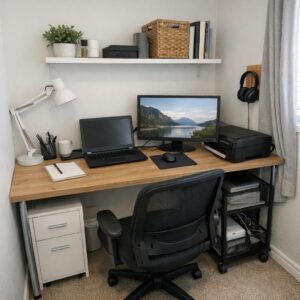
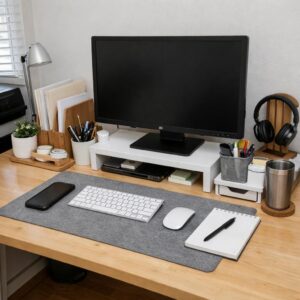
Use one end of a table, a compact desk, or a portable work tray. At the start of the day, set out only the items needed for work. At the end, pack cables, papers, and equipment into a box or drawer. This creates a boundary even when the room has several purposes.
Renters can rely on movable options rather than permanent changes: a folding screen, freestanding lamp, storage cart, or headphones. If you work at the kitchen table, face away from dishes and food preparation areas when the layout allows.
Before buying new equipment, try low-cost adjustments. Move the desk away from the television, reposition the chair to reduce visual activity, keep water nearby, or use ordinary headphones with neutral background sound. Noise-cancelling headphones and additional office furniture are optional, not prerequisites for focused work.
Set boundaries with the people at home
“I’m working” can mean different things to different people. Make the boundary visible and specific. Explain when you should not be interrupted, what counts as urgent, and when you will next be available.
- Use a clear signal: a closed door, headphones, or a small sign can indicate a focus period.
- Provide an end time: “I can help at 11:00” is clearer than “not now.”
- Plan predictable needs: handle snacks, pet care, household questions, or deliveries before a focus block when possible.
- Coordinate shared space: compare meeting schedules if two people work from home.
Young children and care responsibilities make interruptions less predictable. In that situation, shorter work blocks and a lighter daily priority list may be more workable than trying to enforce long periods of silence.
Keep chores from taking over the workday
Home tasks are especially distracting when they look quick. Starting laundry may take a minute, but sorting, transferring, folding, and putting it away can divide the day into repeated interruptions.
Keep a household task list beside your work area. When you notice something, write it down and return to work. Complete chores during a planned break, before work, or after your scheduled finish time.
Breaks can include a small physical task if it helps you step away from the screen, but give the break a limit. Emptying the dishwasher may fit into ten minutes; reorganizing the kitchen probably will not.
Make it easier to return after an interruption
Some interruptions cannot be prevented. The useful skill is returning without spending another half hour deciding what to do.
Before answering the door, taking a call, or leaving your desk, write a brief restart note: “Continue checking figures in section three” or “Next, reply to the second client question.” Leave the relevant document open if privacy and security allow.
If you drift into an unrelated site or task, avoid abandoning the entire focus block. Close it, note anything that genuinely needs attention later, and resume from your restart point.
A simple reset for tomorrow
At the end of the workday, spend a few minutes preparing the next start. Clear obvious clutter, write down the first task, and close work applications. If your workspace is in a living area, pack it away or cover it so work does not remain visually present all evening.
Do not try to fix every distraction at once. Choose the one that most often breaks your concentration, make one practical change, and review it after several workdays. A workable routine is one that fits your job, household, and available space—not one that requires perfect silence or constant focus.

The Anna Leong Editorial Team creates practical guides about home organization, cleaning routines, household care, and productive workspaces. We focus on clear steps, realistic examples, and advice readers can adapt to their own homes.